• About Me Card

Max Hemingway

~ Musings as I work through life, career and everything.

Max Hemingway

Tag Archives: Tools

How much trust should we give apps with device permissions

13 Tuesday Jun 2017

Posted by Max Hemingway in Digital, Security, Tools

≈ Leave a comment

Tags

Digital, Security, Tools

spyware-2319403_640Have you every gone to the app store and just installed something on there because it looks good and something you want to look at, or purchased a product and then installed the app without thinking or checking it out first? Lots of people do, but do they really know what is going on under the covers?

How often do you install an application onto your personal device without checking the permissions that it requires or know what the app has access to and what its doing?

These are relevant questions that we should be asking ourselves as we become more connected and joined together sharing our personal data. This is a subject that I have written about before on app permissions and is still relevant today.

I have recently been asked to look at a fitness braclet that someone had who wanted to install the app. What struck me about this app that basically allows you to control a basic fitness tracker was the permissions to allow access to the Camera and Microphone, when there is clearly no reason within the product or app to have them. Is this a lazy programmer who hasnt set the right permissions on the app or is there something else going on.

Invite

One of the great things I like about mobile devices now is the ability to actually turn these off myself.

  • Android: https://support.google.com/googleplay/answer/6270602
  • Apple:  https://www.howtogeek.com/211623/how-to-manage-app-permissions-on-your-iphone-or-ipad/

So do I want my coffee app to know where I am all the time, maybe not, but I do know that it may need access to the storage to download the latest offers and store those discount vouchers.

Of course stopping a permission may cause application issues, however the important thing is that a user can say no.

So when was the last time you checked the apps installed on your device and their permissions?

Share this:

  • Click to share on Facebook (Opens in new window) Facebook
  • Click to share on LinkedIn (Opens in new window) LinkedIn
  • Click to email a link to a friend (Opens in new window) Email
  • Click to share on Pinterest (Opens in new window) Pinterest
  • Click to share on Reddit (Opens in new window) Reddit
  • Click to share on Tumblr (Opens in new window) Tumblr
  • Click to share on Pocket (Opens in new window) Pocket
  • Click to share on Telegram (Opens in new window) Telegram
  • Click to share on Threads (Opens in new window) Threads
  • Click to share on WhatsApp (Opens in new window) WhatsApp
  • Click to share on Mastodon (Opens in new window) Mastodon
  • Click to share on X (Opens in new window) X
  • Click to share on Bluesky (Opens in new window) Bluesky
Like Loading...

Do It Yourself – AI Assistants

26 Friday May 2017

Posted by Max Hemingway in IoT, Programming, Raspberry Pi, Tools

≈ Leave a comment

Tags

IoT, Open Source, Programming, RaspberryPI, Tools

CyborgThe options available to consume voice activated assistants are increasing with recent releases within the market.

The availability of pre-built off the shelf Assistants is growing and so is the ability to build your own using the open sourced versions.

Google recently gave away AIY (Do It Yourself Artificial Intelligence) a maker kit, with Voice Hat and components to work with a Raspberry PI on the front of the Raspberry PI Magazine issue 57 – (MagPI) inline with the release of the https://aiyprojects.withgoogle.com/

The demand for this kit was very high and as a result unfortunately there are none left and not much information at the moment of the kit becoming available for sale. There is a waiting list available and it will probably be released depending upon demand.

This aside whilst we await the release of the sale kit for AIY, you can still take advantage of the AIY capabilities and a Raspberry Pi 3 in a similar way to installing Amazon Alexa onto the PI.

  • Google AIY Build
  • Raspberry Pi 3
  • Generic Aux Speaker
  • USB Microphone

You could go one better by running both Alexa and Google AIY on the same Raspberry PI, using a build from xtools called AssistantPi.

AssistantPi is basically a tweak of AlexaPi. It includes the Google Assistant SDK and uses AlexaPi’s hotword recognition to activate either Assistant or Alexa. The installer provides an easy way to get everything set up in just under an hour.

https://www.hackster.io/xtools/assistantpi-74b772

A great project to try out and learn from, giving you the power of both Alexa and Google.

Share this:

  • Click to share on Facebook (Opens in new window) Facebook
  • Click to share on LinkedIn (Opens in new window) LinkedIn
  • Click to email a link to a friend (Opens in new window) Email
  • Click to share on Pinterest (Opens in new window) Pinterest
  • Click to share on Reddit (Opens in new window) Reddit
  • Click to share on Tumblr (Opens in new window) Tumblr
  • Click to share on Pocket (Opens in new window) Pocket
  • Click to share on Telegram (Opens in new window) Telegram
  • Click to share on Threads (Opens in new window) Threads
  • Click to share on WhatsApp (Opens in new window) WhatsApp
  • Click to share on Mastodon (Opens in new window) Mastodon
  • Click to share on X (Opens in new window) X
  • Click to share on Bluesky (Opens in new window) Bluesky
Like Loading...

Attending GitHub Satellite 2017

23 Tuesday May 2017

Posted by Max Hemingway in Development, Open Source, Programming, Raspberry Pi, STEM, Tools

≈ Leave a comment

Tags

Coding, Development, Open Source, Programming, RaspberryPI, STEM, Tools

Yesterday I attended GitHub Satellite 2017 in LondonGithub

https://github.com/blog/2313-join-us-for-github-satellite-2017-may-22-23-in-london-uk

The event was well attended and there was a good buzz around the conference. GitHub Marketplace was launched at the conference and some of the initial vendors in the Marketplace demonstrated how their applications can be used in the lifecycle of coding. You could watch demos and chat to the companies at their vendor stalls to gain further information.

Below are my notes from the conference and Key Note opening speeches

Opening

The opening lead by Chris Wanstrath (Co-Founder & CEO, GitHub) and Kyle Daigle (Senior Engineering Manager, GitHub)

  • GitHub has 21 Million Developers
  • 59 Million Projects using the platform.
  • Expanding into gaming with Githib for Unity
  • Extentions for Visual Studio

ATOM

  • Help guide the approach with ATOM
  • 2.1 million active users of ATOM

Electron

  • GitHub desktop GUI new version based on electron. Open Source to allow it to be developed by community.
  • Electron platform for building desktop apps. Runs cross platforms.
  • Companies using electron to build internal apps.
  • Seeing big fortune 500 companies using electron for web, mobile and desktop apps.

GitHub as a platorm

  • Now 9 years old.
  • Today more API traffic than UI traffic
  • 5+ million users use integration
  • OAuth growing doubling each year
  • API ‘s have not been developed and remained static….. 9 years old.

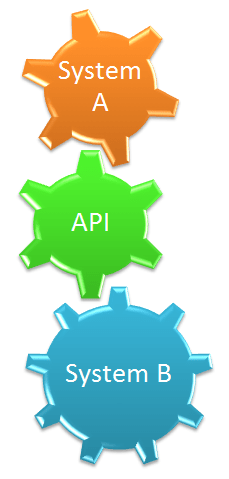
World moving to a new world of API’s. Moving on from SOAP to REST to what’s next.What is the future of API’s:

GraphQL

  • Build queries on data you need.
    • Powering new features of GitHub
    • Suggested reviewers
    • Projects
    • Topics
  • 125 million GraphSQL internal queries a day.
  • GraphQL is open source.

GitHub Apps

  • Fine grain permissions
  • Choose how you want to give access to repositories
  • Using bots in Integrations

GitHub Marketplace (Launching today)

  • Find tools that meet your workflows best.
  • Pricing plans in marketplace
  • Marketplace has option to join and apply to be part of Marketplace.

Build and Grow Sessions

There were a number of sessions held in either the Build or Grow track which attendees could join.

I went to sessions in both tracks including the session on Building Interconnected Workflows which featured companies in the newly launched Market Place. Heard from these companies on how their products could be used in conjunction for a full code project lifecycle, which was interesting and good to hear.

Vitor Monteiro, GitHub
Andrew Homeyer, Waffle.io
Danielle Tomlinson, CircleCI
Jaime Jorge, Codacy
Cory Virok, Rollbar

There was a good session on Women in IT from Amy Dickens from the University of Nottingham which also covered topics of diversity and how workplaces and attitudes can change to make a difference.

Closing Session

The closing session was run by Marc Scott from the Raspberry PI Foundation who gave an overview of the Foundation, what it does and how the community can help review projects and sumbit projects for others to practice, learn from and enjoy. Also helping by joining local coding groups to pass on knowledge.

Sessions were streamed and Im hoping that replays are availble to catch up with the sessions I couldnt get to.

Unfortunately I could not get to todays workshop sessions but again hoping for streams of these following the event.

Share this:

  • Click to share on Facebook (Opens in new window) Facebook
  • Click to share on LinkedIn (Opens in new window) LinkedIn
  • Click to email a link to a friend (Opens in new window) Email
  • Click to share on Pinterest (Opens in new window) Pinterest
  • Click to share on Reddit (Opens in new window) Reddit
  • Click to share on Tumblr (Opens in new window) Tumblr
  • Click to share on Pocket (Opens in new window) Pocket
  • Click to share on Telegram (Opens in new window) Telegram
  • Click to share on Threads (Opens in new window) Threads
  • Click to share on WhatsApp (Opens in new window) WhatsApp
  • Click to share on Mastodon (Opens in new window) Mastodon
  • Click to share on X (Opens in new window) X
  • Click to share on Bluesky (Opens in new window) Bluesky
Like Loading...

Automating leaving a geolocation area

11 Thursday May 2017

Posted by Max Hemingway in Automation, Productivity, Tools

≈ 6 Comments

Tags

Automation, Productivity, Tools

mapFollowing on from my blog about Accepting automation and safeguards, in this post I will demonstrate how easy it is to set up a recipe from IFTTT (If This Then That) to use the location service to send a text to someone when I have left a Geolocation zone.

There are other automation tools you can use on your mobile such as Tasker, Zapier and Automate, however for this example I have chose IFTTT.

The actual configuration of this task is very easy using either the web or mobile tool.

Using the tool in this example, I chose the recipe ingredients that related to my mobile. In this case an Android phone.

The interface takes you through an the process by clicking the relevant icons and entering some simple information. I have flow charted the process below:

IFTTT

You can install the application on your mobile and sign in so that it knows about the tool. Its also important that when using location recipes that you also turn on the Location/GPS function on your device.

This set up uses Android, IFTTT, Google maps and the GPS function of the mobile. These should be kept up to date with any updates that come out on a regular basis.

The text message itself can contain a number of parameters “I exited an area {{OccurredAt}} via Android {{LocationMapUrl}}”  which did put some context into the text message.

{{OccurredAt}} provided a date and time

{{LocationMapUrl}} provided a location in google maps

You can remove these from the message if they are not needed.

There are lots of sample recipes and ones created by others that you can reuse, or the site has the ability to create your own.

(originally posted at https://maxhemingway.com/2016/02/19/ifttt-sms-when-exiting-a-location-recipe/)


Share this:

  • Click to share on Facebook (Opens in new window) Facebook
  • Click to share on LinkedIn (Opens in new window) LinkedIn
  • Click to email a link to a friend (Opens in new window) Email
  • Click to share on Pinterest (Opens in new window) Pinterest
  • Click to share on Reddit (Opens in new window) Reddit
  • Click to share on Tumblr (Opens in new window) Tumblr
  • Click to share on Pocket (Opens in new window) Pocket
  • Click to share on Telegram (Opens in new window) Telegram
  • Click to share on Threads (Opens in new window) Threads
  • Click to share on WhatsApp (Opens in new window) WhatsApp
  • Click to share on Mastodon (Opens in new window) Mastodon
  • Click to share on X (Opens in new window) X
  • Click to share on Bluesky (Opens in new window) Bluesky
Like Loading...

Accepting automation – Do we need safeguards?

09 Tuesday May 2017

Posted by Max Hemingway in Automation, Open Source, Productivity, Programming, Security, Tools

≈ Leave a comment

Tags

Automation, Productivity, Programming, Security, Tools

CogsThere are many and apps available to help us automate basic tasks on our mobiles and computing devices. When choosing these tools, we often read reviews and then download the app, run and set up, then let it run its tasks accepting that it will carry out our requirements. But what happens when there is an issue.

I have a simple IFTTT (If This Then That) recipe running on my mobile phone that sends a test message when I leave an area set up in google maps using Geolocation and GPS to look at my location. A standard recipe for IFTTT.

Today whilst sitting at my desk the recipe triggered saying I had left the area, however I am sat in the middle of my geolocation fence which extends for about 1 mile around to allow some local area travel. The net result is the person who got the message thought I was on my way home, when in fact I was still at work.

Solution to my problem:

The issue with this recipe was caused by the Android operating system and the phone type causing some wonkiness with the location. I fixed this by ensuring all the packages are up to date, rebooting and using another app called GPS Status to assist with ensuring my GPS is working correctly and has the right the location. Also ensuring that the GPS is set to high dependency. The downside may be the drain on the battery with the extra services – I will monitor this going forward.

The main thing this points out is how we accept and then use an app/tool and expect it to work, but not consider the what ifs, such as what if the app triggers incorrectly. Should I have set any safeguards in the recipe or built a counter app.

No harm done in this case as it triggered a text message, but what if this had done something different such as put the heating on, turned on a kettle, opened the garage door, turned something else off? This could be reversed using another recipe to turn things off if I’m within the geolocation fence.

So, what can you do to ensure that your apps/tools and related apps/tools are reliable:

Research – review and research your app. Have there been any issues with running something similar.

Secure – Think about the security of the app and what you can do to protect yourself.

Update, Update, Update – keep the OS, Apps and related apps up to date. In this instance, Android, IFTTT, Google Maps.

Plan – for the what ifs. Allow a reverse control if needed such as turn off the kettle, close the garage, turn on the alarm.

Experiment – Dont be afraid to experiment to get the automation you require.

Safeguards – Think about any Safeguards you may need to build in such as a counter app.

Share this:

  • Click to share on Facebook (Opens in new window) Facebook
  • Click to share on LinkedIn (Opens in new window) LinkedIn
  • Click to email a link to a friend (Opens in new window) Email
  • Click to share on Pinterest (Opens in new window) Pinterest
  • Click to share on Reddit (Opens in new window) Reddit
  • Click to share on Tumblr (Opens in new window) Tumblr
  • Click to share on Pocket (Opens in new window) Pocket
  • Click to share on Telegram (Opens in new window) Telegram
  • Click to share on Threads (Opens in new window) Threads
  • Click to share on WhatsApp (Opens in new window) WhatsApp
  • Click to share on Mastodon (Opens in new window) Mastodon
  • Click to share on X (Opens in new window) X
  • Click to share on Bluesky (Opens in new window) Bluesky
Like Loading...

Digital Tools- Voice Activated Assistants

20 Friday Jan 2017

Posted by Max Hemingway in Digital, Innovation, Productivity, Tools

≈ 2 Comments

Tags

Digital, Innovation, Productivity, Tools, Voice

blogger-336371_640Does the Voice Activated Assistant have a place in the business?   Yes it does. There are lots of voice activated assistants available to help us with our daily tasks. Some are built into mobile devices and some are purchased as specific items. The key is that they all respond to commands and can interact with other devices in our lives.

These devices are already within most business today, but may not being used to their full potential.

“<Insert Name of Assistant> turn on the lights” – providing that the assistant has been linked to the lighting system it will turn on the lights as requested.

Voice programs and activation have been around for along time, but have only recently become more mainstream with the advancements in the speech algorithms and technology to recognise the various dimensions and variants of the human voice. Also the ability to respond in a human voice. Brings back memories of playing around with Dr Spaitso (https://en.wikipedia.org/wiki/Dr._Sbaitso) or watching the film War Games and wanting a talking computer “Would you like to play a game….”.

The biggest market at the moment is the consumer market with devices such as the Amazon Echo being used to connect a myriad of devices and services to build a connected home. There are a number of other assistants out there on devices that can do the same, such as Siri, Cortana, AVIC, and Google Now on the market. There are lots of others available as well.

There are also lots of projects and wishes to have an AI Assistant similar to J.A.R.V.I.S from Marvel’s Iron Man. Such a project is being carried out by Mark Zuckerberg. https://www.facebook.com/notes/mark-zuckerberg/building-jarvis/10154361492931634/

For some having devices around that are constantly listening can be a security issue, however in the main having a voice activated assistants are becoming more common place in every day lives.

“Google says 20 percent of mobile queries are voice searches” http://searchengineland.com/google-reveals-20-percent-queries-voice-queries-249917. This figure will be higher including all the assistants.

This trend is already seeing businesses building web based services to be voice friendly and allow access to data by looking at the type of natural questions someone may ask. Typically a voice search will take longer than a typed search as there is an additional processing step around the voice translation to search, however this is speeding up with the advancements in the programming and algorithms used.

Another example of a business application for voice assistants is where an operator is working with their hands and needs to get a part delivered or get answers to a question about the task they are doing.

In an office the assistant could be used to raise a ticket on the help desk AI, which in turn will try to solve the issue before raising a ticket for a human operator to assist.

Voice has been around for a long time and the future will see it mature to be a more personalised assistant with the ability to interact by recognising the user and have the ability to be called different names, removing the current standard activation names. Linking voice, business systems, data science, AI and machine learning will see a future of being able to ask natural language voice questions to the device about the business/data and obtain a natural language response from the system.


Share this:

  • Click to share on Facebook (Opens in new window) Facebook
  • Click to share on LinkedIn (Opens in new window) LinkedIn
  • Click to email a link to a friend (Opens in new window) Email
  • Click to share on Pinterest (Opens in new window) Pinterest
  • Click to share on Reddit (Opens in new window) Reddit
  • Click to share on Tumblr (Opens in new window) Tumblr
  • Click to share on Pocket (Opens in new window) Pocket
  • Click to share on Telegram (Opens in new window) Telegram
  • Click to share on Threads (Opens in new window) Threads
  • Click to share on WhatsApp (Opens in new window) WhatsApp
  • Click to share on Mastodon (Opens in new window) Mastodon
  • Click to share on X (Opens in new window) X
  • Click to share on Bluesky (Opens in new window) Bluesky
Like Loading...

Chronodex 2017 (Jun-Jun)

23 Friday Dec 2016

Posted by Max Hemingway in Productivity, Tools

≈ Leave a comment

Tags

Productivity, Tools

ChronodexThe first half of the 2017 Chronodex has been released by Patrick Ng.

Available at:  https://app.box.com/s/rcthk406yjp0obd3263nwsphk53h4nyk

There is still a place for a manual diary and journalling using a pen rather than a blog post as discussed here No Batteries Required: My Personal Journal. I am now on my 19th Journal and still going strong.

Share this:

  • Click to share on Facebook (Opens in new window) Facebook
  • Click to share on LinkedIn (Opens in new window) LinkedIn
  • Click to email a link to a friend (Opens in new window) Email
  • Click to share on Pinterest (Opens in new window) Pinterest
  • Click to share on Reddit (Opens in new window) Reddit
  • Click to share on Tumblr (Opens in new window) Tumblr
  • Click to share on Pocket (Opens in new window) Pocket
  • Click to share on Telegram (Opens in new window) Telegram
  • Click to share on Threads (Opens in new window) Threads
  • Click to share on WhatsApp (Opens in new window) WhatsApp
  • Click to share on Mastodon (Opens in new window) Mastodon
  • Click to share on X (Opens in new window) X
  • Click to share on Bluesky (Opens in new window) Bluesky
Like Loading...

Pen Based Productivity Tools – The Chronodex 2016 part 2

08 Friday Jul 2016

Posted by Max Hemingway in Productivity, Tools

≈ Leave a comment

Tags

GTD, Productivity, Tools

ChronodexThe second half of the year has been released for the Chronodex by Patrick Ng.

Available at:  https://app.box.com/s/ln730mbtqhd7kkkp8aj8osknzv3pw7zd

There is still a place for journalling using a pen rather than a blog post as discussed here No Batteries Required: My Personal Journal. I am now on my 17th Journal and still going strong.

Share this:

  • Click to share on Facebook (Opens in new window) Facebook
  • Click to share on LinkedIn (Opens in new window) LinkedIn
  • Click to email a link to a friend (Opens in new window) Email
  • Click to share on Pinterest (Opens in new window) Pinterest
  • Click to share on Reddit (Opens in new window) Reddit
  • Click to share on Tumblr (Opens in new window) Tumblr
  • Click to share on Pocket (Opens in new window) Pocket
  • Click to share on Telegram (Opens in new window) Telegram
  • Click to share on Threads (Opens in new window) Threads
  • Click to share on WhatsApp (Opens in new window) WhatsApp
  • Click to share on Mastodon (Opens in new window) Mastodon
  • Click to share on X (Opens in new window) X
  • Click to share on Bluesky (Opens in new window) Bluesky
Like Loading...

8 Free “For Dummies” books you should read in 2016

12 Tuesday Jan 2016

Posted by Max Hemingway in Architecture, Cloud, Development, DevOps/OpsDev, Enterprise Architecture, Innovation, Programming, Security

≈ Leave a comment

Tags

Architecture, Development, DevOps, Knowledge, OpsDev, Productivity, Programming, Security, Tools

There has been a lot of the free smaller versions of the “For Dummies” books published recently. These are normally sponsored by a company to help promote a way of thinking/product/etc, however they do contain useful overviews and information on the subject that they are presenting on.

Here are my top 8 of these which should be on your reading list for the start of 2016. All are downloadable in PDF format*.

Agile for Dummies

API for Dummies

DevOps for Dummies

Micro-segmentation for Dummies

Next Generation Endpoint Security for Dummies

Software Defined Data Centres for Dummies

Software Defined Networking for Dummies

Software Defined Storage for Dummies

*You may need to sign up to receive some of these books.

Share this:

  • Click to share on Facebook (Opens in new window) Facebook
  • Click to share on LinkedIn (Opens in new window) LinkedIn
  • Click to email a link to a friend (Opens in new window) Email
  • Click to share on Pinterest (Opens in new window) Pinterest
  • Click to share on Reddit (Opens in new window) Reddit
  • Click to share on Tumblr (Opens in new window) Tumblr
  • Click to share on Pocket (Opens in new window) Pocket
  • Click to share on Telegram (Opens in new window) Telegram
  • Click to share on Threads (Opens in new window) Threads
  • Click to share on WhatsApp (Opens in new window) WhatsApp
  • Click to share on Mastodon (Opens in new window) Mastodon
  • Click to share on X (Opens in new window) X
  • Click to share on Bluesky (Opens in new window) Bluesky
Like Loading...

Manual tasks of today should be the Automated tasks of tomorrow

11 Monday Jan 2016

Posted by Max Hemingway in Architecture, Development, DevOps/OpsDev, Innovation, Open Source, Productivity, Programming, Tools

≈ 10 Comments

Tags

Architecture, Development, DevOps, Open Source, Productivity, Tools

“Manual tasks of today should be the Automated tasks of tomorrow”.

CogsThere are lots of Automation tools available to people and businesses today to automate tasks that are carried out in a manual way. The pace at which this is happening is varying based on Habits and Patterns that we use on a daily basis. Also because change is involved which sometimes causes its own set of anxieties and issues.

Back in 2012 Bruno Oliveir published a graph on G+ on Geeks and repetitive tasks, which, shows a view of time vs task and how as geek vs non geek might approach automation.

geeks-vs-nongeeks-repetitive-tasks

An alternative view was published by Jon Udell in 2012 – Another way to think about geeks and repetitive tasks which shows an alternative view adding in more steps to show repetition.

alternate-view-of-automation

xkcd has an interesting view on the subject that does ring true in some cases where something does not exist and needs to be created in order to Automate.

automation

You need to be careful that in spending lots of time in trying to automate a task, that you don’t may spend more time in developing automation than could have been spent actually doing the task.

To get over this an element that is missing from these graphs is reuse and blueprints/patterns. The chances are that someone else has had a go at doing what your about to automate so there may be something to reuse rather than developing something yourself.

There are lots of tools and code repositories available today with more being developed. It will depend upon what you are automating as what to use.

Some of the tools available include;

  • Chef
  • Docker
  • Github
  • Jenkins
  • Jira
  • Powershell
  • Puppet

There are too many to list – lots of others available.

Using an Agile approach as well may reduce the length of the task size line on the graph as you do not need to boil the ocean to automate. Break up tasks into their components and you may find it easier to automate.

These tools are also bringing the geek and non geek lines together as Application’s and API’s make it easier for automation to be implemented. The plot of the graph changes into a repeatable process and in effect becomes a loop for both the geeks and non geeks.

Automate

So what will you automate today?


Share this:

  • Click to share on Facebook (Opens in new window) Facebook
  • Click to share on LinkedIn (Opens in new window) LinkedIn
  • Click to email a link to a friend (Opens in new window) Email
  • Click to share on Pinterest (Opens in new window) Pinterest
  • Click to share on Reddit (Opens in new window) Reddit
  • Click to share on Tumblr (Opens in new window) Tumblr
  • Click to share on Pocket (Opens in new window) Pocket
  • Click to share on Telegram (Opens in new window) Telegram
  • Click to share on Threads (Opens in new window) Threads
  • Click to share on WhatsApp (Opens in new window) WhatsApp
  • Click to share on Mastodon (Opens in new window) Mastodon
  • Click to share on X (Opens in new window) X
  • Click to share on Bluesky (Opens in new window) Bluesky
Like Loading...
← Older posts
Newer posts →

RSS Feed

RSS Feed RSS - Posts

Other Publications I contribute to

https://sparrowhawkbushcraft.com/

Recent Posts

  • Graceful Speech & Timeless Tales: Mastering the Art of Gesture
  • Graceful Speech & Timeless Tales: The Power of Pitch
  • Graceful Speech & Timeless Tales: Modulation
  • Graceful Speech & Timeless Tales: Harnessing Inflection
  • Adventure Games: Open Sourced Zork

Categories

  • 21st Century Human
  • 3D Printing
  • AI
  • Applications
  • ArchiMate
  • Architecture
  • Arduino
  • Automation
  • BCS
  • Big Data
  • Certification
  • Climate Change
  • Cloud
  • Cobotics
  • Connected Home
  • Data
  • Data Fellowship
  • Data Science
  • Development
  • DevOps/OpsDev
  • Digital
  • DigitalFit
  • Drone
  • Enterprise Architecture
  • F-TAG
  • Governance
  • Health
  • Innovation
  • IoT
  • Machine Learning
  • Metaverse
  • Micro:Bit
  • Mindset
  • Mobiles
  • Networks
  • Open Source
  • Podcasts
  • Productivity
  • Programming
  • Quantum
  • Raspberry Pi
  • Robotics
  • Scouting
  • Scouts
  • Security
  • Smart Home
  • Social Media
  • Space
  • STEM
  • Story Telling
  • Technologists Toolkit
  • Tools
  • Uncategorized
  • Wearable Tech
  • Windows
  • xR

Archives

Reading Shelf

Archives

Recent Posts

  • Graceful Speech & Timeless Tales: Mastering the Art of Gesture
  • Graceful Speech & Timeless Tales: The Power of Pitch
  • Graceful Speech & Timeless Tales: Modulation
  • Graceful Speech & Timeless Tales: Harnessing Inflection
  • Adventure Games: Open Sourced Zork

Top Posts & Pages

  • Graceful Speech & Timeless Tales: The Art of Articulation
  • 20 Informative Podcasts for 2025: Boost Your PKMS
  • Understanding ISO/IEC 42001: A Course Review
  • Building Cyber Resilience: Enterprise Architecture and ArchiMate for Strategic Security
  • Graceful Speech & Timeless Tales: Modulation
  • Graceful Speech & Timeless Tales: The Power of Pitch
  • Graceful Speech & Timeless Tales: Mastering the Art of Gesture
  • Mastering the CPD Cycle for Professional Growth
  • Adventure Games: Open Sourced Zork

Category Cloud

21st Century Human Architecture Automation Big Data Cloud Data Data Science Development DevOps/OpsDev Digital DigitalFit Enterprise Architecture Innovation IoT Machine Learning Mindset Open Source Podcasts Productivity Programming Raspberry Pi Robotics Security Social Media STEM Story Telling Technologists Toolkit Tools Uncategorized Wearable Tech

Tags

3D Printing 21st Century Human AI Applications Architecture artificial-intelligence Automation BCS Big Data Blockchain business Certification Cloud Cobot Cobotics Coding Communication Connected Home CPD creativity cybersecurity Data Data Fellowship Data Science Delivery Development DevOps Digital DigitalFit Digital Human Drone Email Enterprise Architecture GTD Infographic Information Theory Innovation IoT Journal Knowledge learning Machine Learning Metaverse MicroLearning Mindset Mixed Reality Networks Open Source OpsDev PKMS Podcasts Productivity Programming Proving It Quantum R RaspberryPI Robot Robotics Scouts Security Smart Home Social Media STEM Story Telling Technologists Toolkit technology Technology Couch Podcast Thinking Tools Training Visualisation Voice Wearable Tech xR

License

Creative Commons Licence
This work is licensed under a Creative Commons Attribution-NonCommercial-ShareAlike 4.0 International License.

Meta

  • Create account
  • Log in
  • Entries feed
  • Comments feed
  • WordPress.com

Blog at WordPress.com.

  • Subscribe Subscribed
    • Max Hemingway
    • Join 82 other subscribers
    • Already have a WordPress.com account? Log in now.
    • Max Hemingway
    • Subscribe Subscribed
    • Sign up
    • Log in
    • Report this content
    • View site in Reader
    • Manage subscriptions
    • Collapse this bar
 

Loading Comments...
 

    %d