• About Me Card

Max Hemingway

~ Musings as I work through life, career and everything.

Max Hemingway

Tag Archives: Digital

Smart Home – How many Hubs?

07 Tuesday Nov 2017

Posted by Max Hemingway in Connected Home, Digital, IoT, Security

≈ 2 Comments

Tags

Connected Home, Digital, IoT, Security

Planning a Connected HomeWith the typical home now being enticed into the world of the “Smart Home”, IoT (Internet of Things) and Connected Everything the number of hubs being offered with each service is growing.

So what is a hub? A hub is a device or service running on a device/computer that acts as a connection point for devices to connect to the internet.

Lets assume that you have 4 devices that need connecting to the internet so that you can control them via a personal assistant (Alexa, Siri, Google, etc) or an app on your mobile phone. For this example think of the devices as light bulbs.

The devices (light bulbs) connect using a wireless protocol to a hub. This will be a protocol that has been chosen by the vendor and is not able to be changed, such as:

  • 6LowPan
  • ZigBee
  • Z-Wave
  • Wi-Fi
  • Bluetooth

See “IoT Device Security Considerations and Security Layers – Network Communication”

The hub will then be connected to your home router either by a wired connection or another wireless protocol (Wireless Protocol 2). This will typically be set to the same level that your home WiFi is set to (i.e. WPA2).

The hub will then send its data to which every internet service is providing the service and allow connection to your controlling devices.

Connected Home Hub Diagram

Typical device and hub design

As the number of services grows that you can consume, the number of hubs required will also grow.

Connected Home Multiple Hub Diagram.jpg

Multiple Hubs in the Home

There is currently not much drive for integration of the hubs or a central generic hub to bring these devices together and a home may have between 1 to 5 hubs as the smart home grows.

The services that we consume is currently down to personal choice, however there are developments that will force a level of connectivity onto home owners.  The first will be the Smart Meters, although this is sometime off as the target is 2020 for installations of Smart Meters.

One of the latest developments is the insurance market, looking at the use of IoT to help bring down insurance premiums.

We may not think too much about hubs as they may be hidden within another device, such as the latest Alexa with inbuilt Philips Hue Hub, however they are there.

The hub is here to stay, but how many do we really need within a connected home.

Further Reading:

  • A-Z of Digital – I is for IoT

Blog Series on:  IoT Device Security Considerations and Security Layers. 

  • Power Source
  • Chipset
  • Storage/Data
  • Sensor/Instrument
  • Operating System
  • Application
  • Device/Application API’s
  • User Interface
  • Access Control & Authentication
  • Encryption
  • Network Communication


Share this:

  • Click to share on Facebook (Opens in new window) Facebook
  • Click to share on LinkedIn (Opens in new window) LinkedIn
  • Click to email a link to a friend (Opens in new window) Email
  • Click to share on Pinterest (Opens in new window) Pinterest
  • Click to share on Reddit (Opens in new window) Reddit
  • Click to share on X (Opens in new window) X
  • Click to share on Tumblr (Opens in new window) Tumblr
  • Click to share on Pocket (Opens in new window) Pocket
  • Click to share on Telegram (Opens in new window) Telegram
  • Click to share on Threads (Opens in new window) Threads
  • Click to share on WhatsApp (Opens in new window) WhatsApp
  • Click to share on Mastodon (Opens in new window) Mastodon
  • Click to share on Bluesky (Opens in new window) Bluesky
  • Click to share on Nextdoor (Opens in new window) Nextdoor
Like Loading...

A-Z of Digital – Z is for Zabeta

18 Wednesday Oct 2017

Posted by Max Hemingway in Cobotics, Digital, Robotics

≈ Leave a comment

Tags

Cobot, Cobotics, Digital, Robot, Robotics

System Tax

Following on from my blog post outlining an A-Z of Digital, here is the final post in the series –  “Z for Zabeta”.

Zabeta is a noun meaning Tarrif or Tax.

“The Robots are Coming! So is the Tax!”

As we move towards an automated society with robots and automation playing a big part, there are ongoing discussions and debates at the moment around the position of taxing companies that use them to balance the loss of jobs they may cause.

Several key figures have raised the subject of a Robot Tax of some sort with Bill Gates being one of the key speakers on this subject:

Bill Gates 

“Right now if a human worker does you know, $50,000 worth of work in a factory, that income is taxed. If a robot comes in to do the same thing, you’d think we would tax the robot at a similar level.”

Bill Gates, in an interview with Quartz

Source: Marketwatch

Elon Musk

“There is a pretty good chance we end up with a universal basic income, or something like that, due to automation,” says Musk to CNBC. “Yeah, I am not sure what else one would do. I think that is what would happen.”

Source: CNBC

Stephen Hawking

Hawking replied: “The outcome will depend on how things are distributed. Everyone can enjoy a life of luxurious leisure if the machine-produced wealth is shared, or most people can end up miserably poor if the machine-owners successfully lobby against wealth redistribution.”

Source: The Independent

The debate has been discussed within the political landscape of the world with South Korea already making a move to introduce a Robot Tax:

In its recently announced tax law revision plan, the Moon Jae-in administration said it will downsize the tax deduction benefits that previous governments provided to enterprises for infrastructure investment aimed at boosting productivity.

Source: The Korea Times

In the US the state of California is considering a Robot Tax:

Included among those folks is San Francisco supervisor Jane Kim, who Wednesday launched a campaign called the Jobs of the Future Fund to study a statewide “payroll” tax on job-stealing machines. Proceeds from the tax would bankroll things like job retraining, free community college, or perhaps a universal basic income―countermeasures Kim thinks might make a robotic future more bearable for humans.

Source: wired.com

In the UK the political parties are discussing the subject with Labour wanting to introduce a tax in their policies

The Labour leader wants to use the money to create a fund to retrain staff who lose their jobs because of new technology. He said that “we should all get the benefits” from “greedy” global corporations such as Amazon which have “made a great deal of money out of incredibly advanced technology”.

Source: The Telegraph

where as the EU position is against the tax due to what has been seen in countries such as Germany where robots have been introduced, yet the unemployment figures are low.

Andrus Ansip, the European Commissioner in charge of the bloc’s push for a Digital Single Market (DSM), isn’t a fan of a robot tax. “No way. No way,” Ansip said when asked if he would support a robot tax.

Source: CNBC

The definition of what this is applied to is an important subject as well. When you mention the word Robot it conjures up images of a factory with robots producing cars, a humanoid type robot or something from a Sci-Fi movie. However should this include Cobots that are there to aid a worker to do their role or even RPA (Robotic Process Automation) which uses software to carry out a task.  Its easy to carry out a visual inspection of a site and see the big machine type robots, but less hard to spot the software variants.

What are the exceptions to the rule, such as Robots that enter a hazardous zone that is potentially dangerous or fatal to a human to carry out a task, such as mine clearance, clearing a nuclear site or diving to deep depths of the ocean. How far should such a tax system go?

This is one subject that will have the politicians and industries debating for some time to come.

What do you think -Should there be a tax of some sort?

Further Reading

  • A-Z of Digital – C is for Cobots
  • Rise of the Cobot
  • A-Z of Digital – R is for Robots
  • Robotic Process Automation: Statistics, business impact and future
  • Real or sci-fi: Robotic software automation
  • Beyond off-shoring: Robotic Process Automation (RPA)
  • A-Z of Digital – L is for Legal

Share this:

  • Click to share on Facebook (Opens in new window) Facebook
  • Click to share on LinkedIn (Opens in new window) LinkedIn
  • Click to email a link to a friend (Opens in new window) Email
  • Click to share on Pinterest (Opens in new window) Pinterest
  • Click to share on Reddit (Opens in new window) Reddit
  • Click to share on X (Opens in new window) X
  • Click to share on Tumblr (Opens in new window) Tumblr
  • Click to share on Pocket (Opens in new window) Pocket
  • Click to share on Telegram (Opens in new window) Telegram
  • Click to share on Threads (Opens in new window) Threads
  • Click to share on WhatsApp (Opens in new window) WhatsApp
  • Click to share on Mastodon (Opens in new window) Mastodon
  • Click to share on Bluesky (Opens in new window) Bluesky
  • Click to share on Nextdoor (Opens in new window) Nextdoor
Like Loading...

A-Z of Digital – Y is for Yottabyte

17 Tuesday Oct 2017

Posted by Max Hemingway in Digital, Tools

≈ Leave a comment

Tags

Digital

Inside a Hard DiskFollowing on from my blog post outlining an A-Z of Digital, here is “Y for Yottabyte”.

You are probably more used to terms such as Megabyte, GigaByte of Terabyte in every day computing terms. Yottabyte is a term used to define an amount of storage that is a lot bigger than these.  The prefix yotta indicates multiplication by the eighth power of 1000 or 1024.

The below table shows the storage values and metrics:

Value Metric
1000 kB kilobyte
10002 MB megabyte
10003 GB gigabyte
10004 TB terabyte
10005 PB petabyte
10006 EB exabyte
10007 ZB zettabyte
10008 YB yottabyte

We are now living in a society that generates large amounts of data on a daily basis, with a passion to keep adding to it. The norm is to create and not delete.

With the growth of the internet, social media, mobiles, IoT, wearables and other data creating devices and systems we are each creating large amounts of data everyday which need to be stored somewhere (this can be at your home, work, cloud or a 3rd party collecting the data you create).

According to IBM: 90% of the data today has been created in the last 2 years with 2.5 quintillion bytes of data per day generated – that’s 2,500,000 Terabytes or (0.0000025 Yottabytes)

So how much data do we create every minute? Domo have produced an infographic that illustrates how this is created across multiple platforms and systems, such as 456,000 tweets and 2,657,700 GB of internet data used by Americans every minute.

A report from Hootsuite in April 2017 illustrates the growth patterns:

Another growth fact on the internet:

The Indexed Web contains at least 4.59 billion pages (Tuesday, 17 October, 2017).

http://www.worldwidewebsize.com/

The generation of data brings challenges of what to  do with it and how to mine it for useful information through big data, AI, machine learning, data science and analytics This has brought two views as to whether data the new oil or not (Data is the new Oil vs Data is not the new Oil).

The challenge of deleting and the right to be forgotten is being addressed through legislation in which companies and those storing data about others are now facing a bigger question of compliance with GDPR looming on the horizon. With the potential of big fines, GDPR is something that should not be ignored.

Failure to comply with GDPR could trigger fines of 4 percent of your annual revenue or €20 million, whichever is higher.

How much data are you generating today!

Further Reading

  • A-Z of Digital – L is for Legal
  • Whats ahead for security and cloud adoption
  • Retail data and the brexit vote
  • 2 new business processes key to GDPR compliance
  • Accelerating GDPR readiness: Now’s the time to get started
  • Getting the analytics right for GDPR compliance – and beyond
  • The impact of GDPR on the Public Sector
  • Customer Privacy in Focus Infographic:GDPR
  • IoT Device Security Considerations and Security Layers
  • DXC Labs: Using data stories to accelerate machine learning solutions
  • Customer Privacy: Going Beyond GDPR


Share this:

  • Click to share on Facebook (Opens in new window) Facebook
  • Click to share on LinkedIn (Opens in new window) LinkedIn
  • Click to email a link to a friend (Opens in new window) Email
  • Click to share on Pinterest (Opens in new window) Pinterest
  • Click to share on Reddit (Opens in new window) Reddit
  • Click to share on X (Opens in new window) X
  • Click to share on Tumblr (Opens in new window) Tumblr
  • Click to share on Pocket (Opens in new window) Pocket
  • Click to share on Telegram (Opens in new window) Telegram
  • Click to share on Threads (Opens in new window) Threads
  • Click to share on WhatsApp (Opens in new window) WhatsApp
  • Click to share on Mastodon (Opens in new window) Mastodon
  • Click to share on Bluesky (Opens in new window) Bluesky
  • Click to share on Nextdoor (Opens in new window) Nextdoor
Like Loading...

A-Z of Digital – X is for Xperience

10 Tuesday Oct 2017

Posted by Max Hemingway in Digital

≈ 2 Comments

Tags

Digital

xperienceFollowing on from my blog post outlining an A-Z of Digital, here is “X is for Xperience”.

Xperience (Ok I am stretching the bounds here as I am reaching the end of the alphabet – its a silent E at the start of the word) covers how we use these technologies and advancements to shape our lives and the effects that they have on them.  We have moved at a rapid rate of development with technology forming an everyday part of our lives.

Looking at my son’s homework last night on programming in python to find the area of a circle, a square and also answering questions on Amazon Drone Deliveries and how they will impact the economy, I drew some synergies of when I was his age as some of what he was doing was similar to myself learning basic and programming a ZX80 (and saving it to an audio cassette), however the use of drones that are now common place were on the verge of science fiction for me at that time.

As technology moves on and develops, we have been consuming it, but our expectations are growing at a faster rate, always wanting the next best thing and its ability to operate faster than we are xperiencing today. Booting up on several 5 1/4 inch floppy disks to start a PC and then start an application was the best thing since sliced bread at one time. These days if the PC has not started and loaded by the time its turned on, the perception is that it is slow.

Turning this experience the other way round where some many not want to accept change and take the same pace as the rate technology is adapting. Sundar Pichai, Google CEO, spoke about this recently in an article in the Guardian, ‘I don’t know whether humans want change that fast‘

“I recognise that, in the Valley, people are obsessed with the pace of technological change,” he says. “It’s tough to get that part right… We rush sometimes, and can misfire for an average person. As humans, I don’t know whether we want change that fast – I don’t think we do.”

– Sundar Pichai, Google CEO (Source: The Guardian)

Whether we embrace, ignore or reject the way that the digital revolution is bringing change, our Xperiences are still changing and our expectations are also increasing with an always-on interactive society. To survive the changes we need to have an adaptive behaviour that allows us to evolve at the right pace with the rate right of development.

Learning plays a big part in our ability to keep up with the change and developments as well as understanding what is going on in the marketplace. Learning needs to be right and focused to help guide our Xperiences and how much learning will depend upon what we are doing. Borrowing an equation from ecology L>=C, if your learning is not greater or equal to the rate of change you will fall behind.


Share this:

  • Click to share on Facebook (Opens in new window) Facebook
  • Click to share on LinkedIn (Opens in new window) LinkedIn
  • Click to email a link to a friend (Opens in new window) Email
  • Click to share on Pinterest (Opens in new window) Pinterest
  • Click to share on Reddit (Opens in new window) Reddit
  • Click to share on X (Opens in new window) X
  • Click to share on Tumblr (Opens in new window) Tumblr
  • Click to share on Pocket (Opens in new window) Pocket
  • Click to share on Telegram (Opens in new window) Telegram
  • Click to share on Threads (Opens in new window) Threads
  • Click to share on WhatsApp (Opens in new window) WhatsApp
  • Click to share on Mastodon (Opens in new window) Mastodon
  • Click to share on Bluesky (Opens in new window) Bluesky
  • Click to share on Nextdoor (Opens in new window) Nextdoor
Like Loading...

A-Z of Digital – W is for Wearable

03 Tuesday Oct 2017

Posted by Max Hemingway in Digital, Wearable Tech

≈ Leave a comment

Tags

Digital, Wearable Tech

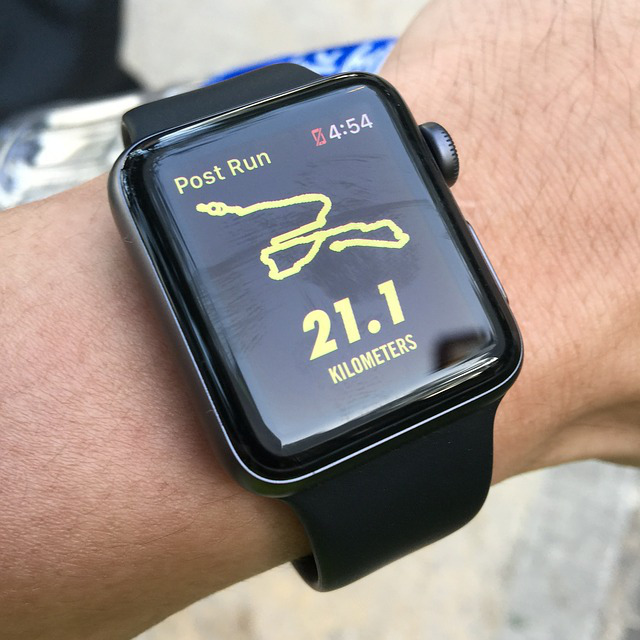
Fitness TrackerFollowing on from my blog post outlining an A-Z of Digital, here is “W is for Wearables”.

Whether a Smart Watch or Fitness Tracker type our wrists now contain one of the most popular wearbles and the one that can easily be associated with the term “Wearable”.

The field of wearables is expanding with more ways to attach sensors and record data about our daily lives. This typically covers anything that you can wear or attach to your body and in the main interfaces with a mobile to be the central data point, although many devices operate separately and can transmit data themselves.

Here are some of the types of wearables available and what they can contain:

Hats

From baseball caps to hard hats, wearables are being incorporated into hats to display or capture information about the wearer or local environment.

  • Display Screens to display messages or logos
  • Sensors to monitor heat loss
  • Sensors to monitor the local environment
  • Beacons to show location of the wearer in working zones
  • Knock sensors to detect when a hard hat is knocked against an item

Eyewear

Headsets and Glasses provide visionables that can be worn across the eyes to display information to the user of the device. These typically display information and data in one for of reality from a small computing device within the wearable, mobile device or large fixed computer.

  • Virtual Reality
  • Augmented Reality
  • Mixed Reality
  • OLED/LCD Screens

Ears

Typically we have always put things over or just inside our ears to hear things such as headphones and headsets. Bone conducting headphones change this by placing a conductor along side the ear and send the sounds to the inner ear through the bones around the ear. This still allows you to hear the environment around you whilst still listening to a music or a phone call.

Wrists

As mentioned above wrists are the most popular place to use a wearble. Taking the form of a smart watch or fitness tracker

  • GPS to provide location
  • Sensors to monitor fitness, activity and movement
  • Sensors to monitor body stats – heartbeat, temperature, sleep patterns
  • Connection to other devices such as mobile phones

Clothing

Electro conductive threads are being woven in to clothing to provide an ability to power small sensors and devices also sewn or attached to the garment.

  • Ability to power devices through clothes
  • Display Screens to display messages or logos
  • Sensors to monitor heat loss
  • Sensors to monitor the local environment
  • GPS to provide location
  • Sensors to monitor fitness and movement
  • Energy harvesting to power devices

Shoes

Smart Shoes can provide power to devices though energy harvesting devices and use sensors providing tracking of movement.

  • Energy harvesting to power devices
  • Sensors to monitor fitness and movement

The growth in the wearable market and personal data is vast and will bring changes in the way we use and think about wearables. With wearables collecting data about our activities, industries and businesses are looking at how they can use these. For example:

  • Healthcare – monitoring patients through wearables and help gather data for diagnosis
  • Fitness – to help maintain our level of fitness and tell us when we are doing well against set goals
  • Insurance – using wearbles as a method to bring down insurance premiums of health and life insurance depending on how active you are

Further Reading

  • A-Z of Digital – F is for Fitness Trackers
  • A-Z of Digital – G is for Geolocation
  • A-Z of Digital – H is for Hearable
  • A-Z of Digital – J is for Jacking
  • A-Z of Digital – L is for Legal
  • A-Z of Digital – V is for Visionables


Share this:

  • Click to share on Facebook (Opens in new window) Facebook
  • Click to share on LinkedIn (Opens in new window) LinkedIn
  • Click to email a link to a friend (Opens in new window) Email
  • Click to share on Pinterest (Opens in new window) Pinterest
  • Click to share on Reddit (Opens in new window) Reddit
  • Click to share on X (Opens in new window) X
  • Click to share on Tumblr (Opens in new window) Tumblr
  • Click to share on Pocket (Opens in new window) Pocket
  • Click to share on Telegram (Opens in new window) Telegram
  • Click to share on Threads (Opens in new window) Threads
  • Click to share on WhatsApp (Opens in new window) WhatsApp
  • Click to share on Mastodon (Opens in new window) Mastodon
  • Click to share on Bluesky (Opens in new window) Bluesky
  • Click to share on Nextdoor (Opens in new window) Nextdoor
Like Loading...

A-Z of Digital – V is for Visionables

26 Tuesday Sep 2017

Posted by Max Hemingway in Digital, Wearable Tech

≈ 2 Comments

Tags

Digital, Visionables, Wearable Tech

Cyborg Eye

Following on from my blog post outlining an A-Z of Digital, here is “V is for Visionables”.

Visionables (Wearables that enhance or change our digital visual experiences) covers areas such as Virtual Reality, Augmented Reality and Mixed Reality.

These should be viewed as complementary technologies, each with their own use cases. As there are already good definitions of these technologies, I will reference some sources:

Virtual Reality

Virtual Reality (VR) is a computer technology that uses Virtual reality headsets, sometimes in combination with physical spaces or multi-projected environments, to generate realistic images, sounds and other sensations that simulate a user’s physical presence in a virtual or imaginary environment. A person using virtual reality equipment is able to “look around” the artificial world, and with high quality VR move about in it and interact with virtual features or items. The effect is commonly created by VR headsets consisting of head-mounted goggles with a screen in front of the eyes, but can also through specially designed spaces with multiple large screens.

Source: https://en.wikipedia.org/wiki/Virtual_reality

Augmented Reality

Augmented Reality (AR) is a live direct or indirect view of a physical, real-world environment whose elements are “augmented” by computer-generated or extracted real-world sensory input such as sound, video, graphics or GPS data. It is related to a more general concept called computer-mediated reality, in which a view of reality is modified (possibly even diminished rather than augmented) by a computer. Augmented reality enhances one’s current perception of reality, whereas in contrast, virtual reality replaces the real world with a simulated one.

Source: https://en.wikipedia.org/wiki/Augmented_reality

Mixed Reality

Mixed reality (MR), sometimes referred to as hybrid reality, is the merging of real and virtual worlds to produce new environments and visualizations where physical and digital objects co-exist and interact in real time. Mixed reality takes place not only in the physical world or the virtual world, but is a mix of reality and virtual reality, encompassing both augmented reality and augmented virtuality via immersive technology.

Source: https://en.wikipedia.org/wiki/Mixed_reality

These are experienced through the use of Smart Glasses or Headsets that interface the user to a form of computing to power the device and display the visualisations.

Augmented Reality is probably the most widely used and known reality technology through applications such as Google Maps and Pokemon.

These technologies are developing at a rapid rate with both hardware and software evolving. Some examples being:

  • Microsoft now demonstrating sharing Hololens sessions through Teams and Apple introducing AR/MR into their devices. Ikea have taken advantage of this by releasing a catalogue application in iTunes that allows you to view a virtual version of the catalogue item in your room to see how it looks before you order it.
  • Google Glass providing an Enterprise version for use with specific software vendors.
  • HP have released a backpack computer allowing portability of Virtual Reality headsets powered on batteries, removing the chance of cable snagging as the operator moves around enhancing the users experience.
  • There are a set of Mixed Reality headsets coming onto the market with the release of Microsoft’s latest MR software.

As well as the reality based technologies there are also developments in traditional headset displays putting a small display in front of the eye to view content as if your sat in front of a monitor, navigating using voice commands such as the Realwear HMT.

Visionables will drive a change of working replacing monitors with headsets initially in  specific use cases, then moving to a wider audience as the technology advances and becomes more mainstream and costs start to come down.

Further Reading

  • 5 killer use-cases for augmented reality in the enterprise
  • The next wave of digital interface: Virtual and augmented reality
  • Are you getting your AR mixed up with your RR, or your SV mixed up with your VR?
  • Google Lens shows the practical, everyday value of augmented reality
  • After Pokémon Go craze, what’s next in augmented reality?
  • Augmented, virtual reality markets to soar as enterprise use cases emerge
  • A rookie’s guide to mobile virtual reality for iPhone
  • Information overload in a virtually augmented world

Share this:

  • Click to share on Facebook (Opens in new window) Facebook
  • Click to share on LinkedIn (Opens in new window) LinkedIn
  • Click to email a link to a friend (Opens in new window) Email
  • Click to share on Pinterest (Opens in new window) Pinterest
  • Click to share on Reddit (Opens in new window) Reddit
  • Click to share on X (Opens in new window) X
  • Click to share on Tumblr (Opens in new window) Tumblr
  • Click to share on Pocket (Opens in new window) Pocket
  • Click to share on Telegram (Opens in new window) Telegram
  • Click to share on Threads (Opens in new window) Threads
  • Click to share on WhatsApp (Opens in new window) WhatsApp
  • Click to share on Mastodon (Opens in new window) Mastodon
  • Click to share on Bluesky (Opens in new window) Bluesky
  • Click to share on Nextdoor (Opens in new window) Nextdoor
Like Loading...

A-Z of Digital – U is for Usability

19 Tuesday Sep 2017

Posted by Max Hemingway in Digital

≈ Leave a comment

Tags

Digital

CubeFollowing on from my blog post outlining an A-Z of Digital, here is “U is for Usability”.

Usability is something that we have learnt and adapted within the human race for thousands of years through using and shaping tools and every day items. With the development of the computer, usability relates to the way in which software is used and displays information on a device (hardware) for us.

The Usability and UX (User Experience) of devices is key.  If a someone can’t use the application or device they may start looking for an alternative that they can use.

usability is the degree to which a software can be used by specified consumers to achieve quantified objectives with effectiveness, efficiency, and satisfaction in a quantified context of use.

Source: https://en.wikipedia.org/wiki/Usability

As technology evolves we are presented with new ways of visualising information and interacting with it.

The Digital Era is seeing bigger steps towards these visualisations through Augmented Reality, Virtual Reality, Holographic’s and Mixed Reality.  This in a way makes it easier to present information and interfaces to users, as real world environments can be replicated or enhanced with digital overlays. The expansion of these mediums are also seeing other interfaces such as gesture and wand controls that open the possibilities for usability of applications and systems.

Voice controls are providing different usability and UX interfaces that at the mention of key phrases which can control an event or action such as turning off lights. Other developments are seeing implants (Jackables) providing a different way of interfacing with devices and turning on/off things as you walk near them.

The challenge going forward is keeping up with the rate of change and keeping the usability and UX up to date and relevant.


Share this:

  • Click to share on Facebook (Opens in new window) Facebook
  • Click to share on LinkedIn (Opens in new window) LinkedIn
  • Click to email a link to a friend (Opens in new window) Email
  • Click to share on Pinterest (Opens in new window) Pinterest
  • Click to share on Reddit (Opens in new window) Reddit
  • Click to share on X (Opens in new window) X
  • Click to share on Tumblr (Opens in new window) Tumblr
  • Click to share on Pocket (Opens in new window) Pocket
  • Click to share on Telegram (Opens in new window) Telegram
  • Click to share on Threads (Opens in new window) Threads
  • Click to share on WhatsApp (Opens in new window) WhatsApp
  • Click to share on Mastodon (Opens in new window) Mastodon
  • Click to share on Bluesky (Opens in new window) Bluesky
  • Click to share on Nextdoor (Opens in new window) Nextdoor
Like Loading...

A-Z of Digital – T is for Twenty First Century Digital

13 Wednesday Sep 2017

Posted by Max Hemingway in 21st Century Human, Digital

≈ 5 Comments

Tags

21st Century Human, Digital, Digital Human

DigitalFollowing on from my blog post outlining an A-Z of Digital, here is “T is for Twenty First Century Digital”.

The term Twenty First (21st) Century Digital applies to the current century and how you are using Digital to better your organisation and yourself.

Being Digital is not necessarily about having the latest and greatest gadgets, but how you use the hardware and software within your everyday work ad home life. It is also about a mindset of being Digital and looking at.

How Digital are you? Lewis Richards from the LEF (Leading Edge Forum) has created a Digital Test which shows you how Digital you are.  The LEF also has information that covers the topics of the 21st Century Organisation and 21st Century Human.

What can you do to be more Digital? Here are 8 things to start you off:

1.  Be Social

By far the easiest area is to look at your social presence and how you are using tools such as Twitter, Facebook, LinkedIn, Instagram etc. Follow people that are digital and read what they are doing. One of the great things about being social is the ability to interact with people. Don’t be afraid to ask questions of people you are following if they post something that peaks your interest.  Develop and evolve your social profile and networks to show what you are doing around digital and don’t forget to post at least twice a week.

2. Use what you have

Look at the capabilities of the devices you have today and look to use them to their full potentials using features such as integrated Voice Activated Assistants.

3. Automate

There are many automation tools available that can be used to create simple automation with. Start with a simple automation one of your daily tasks such as sending a text to your significant other when you have left work.

4. Create a Personal Knowledge System

Using the information on trends and digital shifts in the market place is important to learn what is happening today and future developments and innovations coming out. Creating a Personal Knowledge System will help you manage the flow of this information and filter what you want to know.

5. Develop your  Skills

Create a development plan that includes things to help you become a 21st Digital Human and undertake the training. Put into practice what you have learnt to increase your digital knowledge and footprint.

6. Learn to Program

You don’t necessarily need to know how to programming in order to be digital, however having an understanding of how things work helps with looking at connecting applications together with API’s or scripting a task to automate it. Learning a programming language will help you with this and also with experimenting.

7. Experiment

Experiment and try new things like IoT (Internet of Thing). Computers such as the Raspberry PI are making experimenting easier, and now with the release of the Raspberry PI Desktop with some inbuilt emulators, you can try things without having a PI initially.

8. Use what you have learnt and encourage others

Passing on what you have learnt to others is a great method of checking your understanding of a subject and bringing others up to speed and encourage others around you to become digital.

Consider becoming a STEM Ambassador to pass on your skills and experiences encouraging Young People into STEM subjects.


Share this:

  • Click to share on Facebook (Opens in new window) Facebook
  • Click to share on LinkedIn (Opens in new window) LinkedIn
  • Click to email a link to a friend (Opens in new window) Email
  • Click to share on Pinterest (Opens in new window) Pinterest
  • Click to share on Reddit (Opens in new window) Reddit
  • Click to share on X (Opens in new window) X
  • Click to share on Tumblr (Opens in new window) Tumblr
  • Click to share on Pocket (Opens in new window) Pocket
  • Click to share on Telegram (Opens in new window) Telegram
  • Click to share on Threads (Opens in new window) Threads
  • Click to share on WhatsApp (Opens in new window) WhatsApp
  • Click to share on Mastodon (Opens in new window) Mastodon
  • Click to share on Bluesky (Opens in new window) Bluesky
  • Click to share on Nextdoor (Opens in new window) Nextdoor
Like Loading...

A-Z of Digital – S is for Social

10 Sunday Sep 2017

Posted by Max Hemingway in Digital, Social Media

≈ 10 Comments

Tags

Digital, Social Media

SocialFollowing on from my blog post outlining an A-Z of Digital, here is “S is for Social”.

Years ago people gathered in a market square to hear the latest news and gossip and meet in a tavern to hear the tales of friends and strangers from afar. Nowdays we just pick up our smartphones and have all that information at or fingertips.

Being a member of one of the many social tools available today is seen as the “norm”. The majority of people joining the well known social channels such as Facebook, Twitter, Linkedin, Instagram, or one that’s less well known or used for specific purposes. We publish details of our lives online for all our friends and followers to see what we are up to or use the tools to help gather information and keep up to date.

Being social is not just around how you use the tools and what you communicate, but also what you don’t say and being Social Media Savvy on your communications. What ever is posted online even if its in a private group should be considered to be in the public domain as at some point someone could easily open that communication up outside of your group.

Here are my top 5 tips on being Social Media Savvy

Social Channels – Choose the channels that you want to use and look at the audience on those channels. They type of things being posted. Split your channels between personal and professional work.

Listen, Research, Listen Again – Listening to what is going on in your channels is important to understand the trends and topics being talked about.

Be Authentic And True – Be yourself – don’t try to be someone your not.

Keep It Regular and Relevant – Posting a couple of times a week is a good measure. Making sure that your posts are relevant to what you want to say and what your audience is looking for.  You could always automate your posts – e.g. writing some blog posts and having them published during the week via a scheduler.

Think Security – Would you want anyone outside your friends network seeing that post? Eventually your post could be public as once something is posted you don’t have control on what other people can do with it.


Share this:

  • Click to share on Facebook (Opens in new window) Facebook
  • Click to share on LinkedIn (Opens in new window) LinkedIn
  • Click to email a link to a friend (Opens in new window) Email
  • Click to share on Pinterest (Opens in new window) Pinterest
  • Click to share on Reddit (Opens in new window) Reddit
  • Click to share on X (Opens in new window) X
  • Click to share on Tumblr (Opens in new window) Tumblr
  • Click to share on Pocket (Opens in new window) Pocket
  • Click to share on Telegram (Opens in new window) Telegram
  • Click to share on Threads (Opens in new window) Threads
  • Click to share on WhatsApp (Opens in new window) WhatsApp
  • Click to share on Mastodon (Opens in new window) Mastodon
  • Click to share on Bluesky (Opens in new window) Bluesky
  • Click to share on Nextdoor (Opens in new window) Nextdoor
Like Loading...

A-Z of Digital – R is for Robots

01 Friday Sep 2017

Posted by Max Hemingway in Digital, Robotics

≈ 1 Comment

Tags

Digital, Robotics

MachineFollowing on from my blog post outlining an A-Z of Digital, here is “R is for Robots”.

What used to be Science Fiction is now reality as robots become an every day part of our lives. Even if you are not working with Robots they still have a big influence on your everyday life by making some of the things that you may use, such as a car or computer.

Isaac Asimov set out “Three Laws of Robotics” which in the main are obeyed by robots:

A robot may not injure a human being or, through inaction, allow a human being to come to harm.
A robot must obey orders given it by human beings except where such orders would conflict with the First Law.
A robot must protect its own existence as long as such protection does not conflict with the First or Second Law.

The exception to these laws at the moment are military based AI robots and there is currently a lot of debate around this subject and how far AI should be allowed to go.

When the term robot is thought about, it most probably conjures up visions of automated arms in a factory plant or a humanoid robot carrying out tasks. Lots of this is influenced by novels and movies. However robots do not always take this form and the term robot is applied to a number of scenarios such as “Robotic Process Automation” (RPA) which takes clerical tasks and automates them through the use of software based robots.

Through learning to program and the use of applications and Open API’s (Application Programming Interface) RPA can be used to automate parts of the business.

An example of RPA: I recently needed my windscreen repaired on my car. Through my insurance companies website (after logging on to verify myself) I started a claim for the repair. The process then presented a number of steps to help identify the damage to the windscreen through the use of pictures and choices. After entering the number of chips and location on the windscreen the process determined that I needed a replacement windscreen (Lots of motorway driving and lorries/cars flicking up stones off the road).

The next stage was to pass all my details to the windscreen company and all I had to do was choose the date and time for the replacement screen to be fitted. The only human interaction I had in this process was when the repair person came to fit the new screen. Following the fitting and signing electronically that I was happy with the repair the process finished by settling the claim (and excess) and sending a survey to complete about the process.

Although there was little human interaction in this process, it was a smooth transaction that resulted in a happy customer experience. There is however always an option to revert back to a human if needed.

Robots and the ability to build your own robot have also become readily available through the advancements in computing and cheap components such as the Raspberry PI and Arduino computing boards. Building a simple Quadruped robot through the use of an Arduino and some programming in Python demonstrates this ability.

Through the use of robots whether physical or software based, business can take advantage of these technologies to help automate the repetitive tasks that employees carry out and let them concentrate on the deeper tasks that need their attention – this leads to the Rise of the Cobots and their ability to help and work alongside employees.

Further Reading:

  • A-Z of Digital – C is for Cobots
  • Rise of the Cobot
  • Robotic Process Automation: Statistics, business impact and future
  • Robotic Process Automation: Leveraging software robots to replace humans
  • Beyond off-shoring: Robotic Process Automation (RPA)
  • Real or sci-fi: Robotic software automation


Share this:

  • Click to share on Facebook (Opens in new window) Facebook
  • Click to share on LinkedIn (Opens in new window) LinkedIn
  • Click to email a link to a friend (Opens in new window) Email
  • Click to share on Pinterest (Opens in new window) Pinterest
  • Click to share on Reddit (Opens in new window) Reddit
  • Click to share on X (Opens in new window) X
  • Click to share on Tumblr (Opens in new window) Tumblr
  • Click to share on Pocket (Opens in new window) Pocket
  • Click to share on Telegram (Opens in new window) Telegram
  • Click to share on Threads (Opens in new window) Threads
  • Click to share on WhatsApp (Opens in new window) WhatsApp
  • Click to share on Mastodon (Opens in new window) Mastodon
  • Click to share on Bluesky (Opens in new window) Bluesky
  • Click to share on Nextdoor (Opens in new window) Nextdoor
Like Loading...
← Older posts
Newer posts →

Follow Me on LinkedIn

www.linkedin.com – Click to Follow 

RSS Feed

RSS Feed RSS - Posts

Other Publications I contribute to

https://sparrowhawkbushcraft.com/

Recent Posts

  • Graceful Speech & Timeless Tales: Breathing
  • The Quotient Revolution: Building the Well-Rounded Person
  • Ditch Resolutions: Embrace Habit-Building for Success
  • Pen based Productivity Tools: The Chronodex 2026
  • Understanding ETSI TS 104 223 and ISO/IEC 42006

Categories

  • 21st Century Human
  • 3D Printing
  • AI
  • Applications
  • ArchiMate
  • Architecture
  • Arduino
  • Automation
  • BCS
  • Big Data
  • Certification
  • Climate Change
  • Cloud
  • Cobotics
  • Connected Home
  • Data
  • Data Fellowship
  • Data Science
  • Development
  • DevOps/OpsDev
  • Digital
  • DigitalFit
  • Drone
  • Enterprise Architecture
  • F-TAG
  • Governance
  • Health
  • Innovation
  • IoT
  • Machine Learning
  • Metaverse
  • Micro:Bit
  • Mindset
  • Mobiles
  • Networks
  • Open Source
  • Podcasts
  • Productivity
  • Programming
  • Quantum
  • Raspberry Pi
  • Robotics
  • Scouting
  • Scouts
  • Security
  • Smart Home
  • Social Media
  • Space
  • STEM
  • Story Telling
  • Technologists Toolkit
  • Tools
  • Uncategorized
  • Wearable Tech
  • Windows
  • xR

Archives

Reading Shelf

Archives

Recent Posts

  • Graceful Speech & Timeless Tales: Breathing
  • The Quotient Revolution: Building the Well-Rounded Person
  • Ditch Resolutions: Embrace Habit-Building for Success
  • Pen based Productivity Tools: The Chronodex 2026
  • Understanding ETSI TS 104 223 and ISO/IEC 42006

Top Posts & Pages

  • About Me Card
  • Ditch Resolutions: Embrace Habit-Building for Success
  • The Quotient Revolution: Building the Well-Rounded Person
  • Pen based Productivity Tools: The Chronodex 2026
  • 20 Informative Podcasts for 2025: Boost Your PKMS
  • Graceful Speech & Timeless Tales: Breathing
  • Embracing Humility: Staying Open to Feedback and Continuous Improvement in Tech
  • Understanding ISO/IEC 42001: A Course Review
  • The Impact of Enterprise Architecture on Innovation Culture
  • 2015 State of DevOps Report

Category Cloud

21st Century Human Architecture Automation Big Data Cloud Data Data Science Development DevOps/OpsDev Digital DigitalFit Enterprise Architecture Innovation IoT Machine Learning Mindset Open Source Podcasts Productivity Programming Raspberry Pi Robotics Security Social Media STEM Story Telling Technologists Toolkit Tools Uncategorized Wearable Tech

Tags

3D Printing 21st Century Human AI Applications Architecture artificial-intelligence Automation BCS Big Data Blockchain business Certification Cloud Cobot Cobotics Coding Communication Connected Home CPD creativity cybersecurity Data Data Fellowship Data Science Delivery Development DevOps Digital DigitalFit Digital Human Drone Email Enterprise Architecture GTD Infographic Information Theory Innovation IoT Journal Knowledge learning Machine Learning Metaverse MicroLearning Mindset Mixed Reality Networks Open Source OpsDev PKMS Podcasts Productivity Programming Proving It Quantum R RaspberryPI Robot Robotics Scouts Security Smart Home Social Media STEM Story Telling Technologists Toolkit technology Technology Couch Podcast Thinking Tools Training Visualisation Voice Wearable Tech xR

License

Creative Commons Licence
This work is licensed under a Creative Commons Attribution-NonCommercial-ShareAlike 4.0 International License.

Meta

  • Create account
  • Log in
  • Entries feed
  • Comments feed
  • WordPress.com

Blog at WordPress.com.

  • Subscribe Subscribed
    • Max Hemingway
    • Join 82 other subscribers
    • Already have a WordPress.com account? Log in now.
    • Max Hemingway
    • Subscribe Subscribed
    • Sign up
    • Log in
    • Report this content
    • View site in Reader
    • Manage subscriptions
    • Collapse this bar
 

Loading Comments...
 

    %d