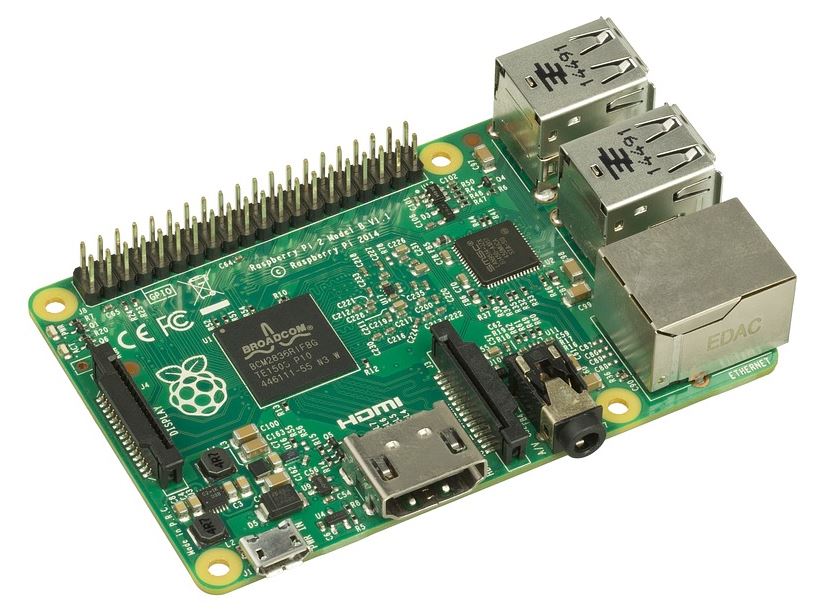
 Today I got a challenge from Lewis Richards (@Stroker on Twitter) – A selfie with a Raspberry PI Laptop that I have built. Okay – Challenge accepted.
Turning a Raspberry PI into a laptop is not a new thing but does look like an interesting project to undertake. If you don’t want to build your own you could buy a Raspberry PI-Top and use this pre-built case to save a build.
Awesome DIY Raspberry Pi Laptop http://flip.it/QqZz8N
@Max_Hemingway I want to see a selfie of you with one of these you’ve built!Tweet: https://twitter.com/stroker/status/928259932373299200
However my challenge is to build one so I am currently working through the best way to do this and what functions and features I want to build in.
Current thinking around parts and screen are:
Things needed
- Power supply – battery/mains and ability to charge the batteries
- Raspberry PI 3 (inbuilt networking)
- Cooling
- Screen – 7 inch – Touchscreen
- Keyboard – thin USB
- Case
- Mouse
- Operating System
- Applications
Requirements
- I like the addition of other boards such as the arduino for connectivity as well as the Raspberry PI
- Access to the ports on the Raspberry PI
- I’m more into an external mouse but happy to include a form of track pad.
- Suitable cooling for the laptop
- Future expansion for the device or ability to swap items out
- Portability of the device and solidity of the case
- Do something unique/original for the build
Thinking about what else I can get into the device to add functionality and would welcome any suggestions to add to the device.
I will blog more parts to this build as I go through the design,build and get the relevant parts together.






 Max Hemingway
Leave a comment